
One of the less visible, but quite time-consuming, tasks currently underway in LibrePlan is modernizing the graphical theme used by the application.
LibrePlan’s web interface is built using the ZK framework. For many years, LibrePlan has used the Sapphire theme. The problem is that Sapphire has effectively been unsupported within the ZK ecosystem for quite some time. Continuing to depend on it makes maintaining and upgrading LibrePlan increasingly difficult.
The solution sounds straightforward: switch LibrePlan to the supported Breeze theme.
In practice, of course, it isn’t quite that simple.
Page by page
Changing the underlying theme immediately changes many details of the user interface: spacing, borders, colors, fonts, component sizes and alignment. Simply enabling Breeze therefore results in an application that may technically work, but no longer looks like LibrePlan.
The approach I’m taking is to migrate to Breeze while preserving the familiar LibrePlan appearance as much as possible.
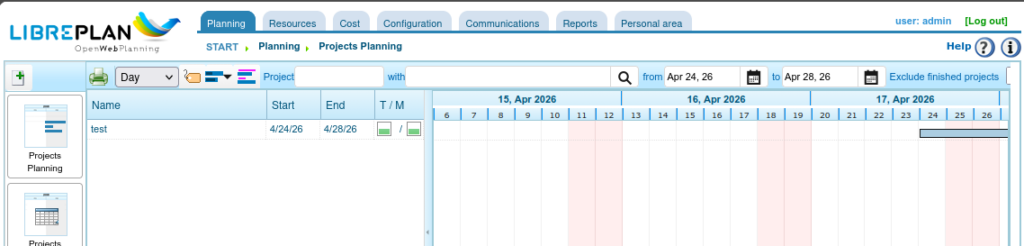
That means going through the application page by page, comparing the old Sapphire-based interface with the new Breeze version and tuning LibrePlan’s CSS until the result closely resembles the original again.
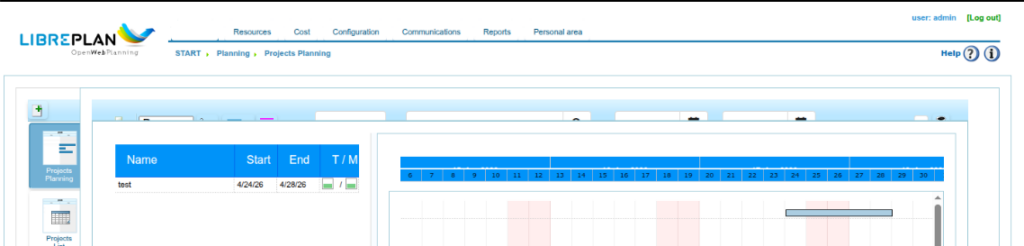
Buttons move by a few pixels. Tables suddenly have different padding. Borders change. Text no longer aligns quite as before. Tables have very blue backgrounds. A component that looks correct on one page may behave differently in another context.
It is the kind of work where progress is measured in many small improvements rather than spectacular commits.
And it requires quite a bit of patience.
Claude and Playwright as development tools
One thing that has made this work considerably more manageable is the combination of Claude and Playwright.
Playwright makes it possible to automagically inspect LibrePlan through a real browser session, navigate to pages, interact with components and examine how the application is actually rendered. Playwright automatically makes and compares screenshots and checks changes made. Combined with Claude, this has proven extremely useful for tracking down CSS differences and iterating on possible fixes.
Instead of manually describing that “this field seems a little too high” or “the spacing in this table isn’t quite right”, the browser becomes part of the development and debugging process.
For this particular job, where there are many small visual differences spread across a large application, that has been invaluable.
A special thanks goes to Santiago for the tip about using Playwright. It turned out to be exactly the right tool for this kind of work.
Before and after
Below are a few examples showing pages before and after the adjustments.
Before — Breeze without LibrePlan-specific tuning
After — Breeze with the LibrePlan CSS adjustments
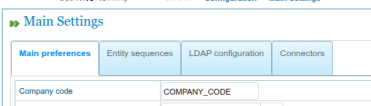
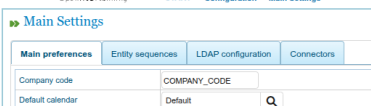
And another example:
Before
After
The intention is not to redesign LibrePlan completely. At this stage, the goal is much more pragmatic: move away from an obsolete theme, onto a theme that is actively supported by ZK, while keeping the application familiar to existing LibrePlan users.
Modernising without unnecessarily changing things
Maintaining a long-running open-source project often involves exactly this kind of work.
Not every improvement needs to introduce a new feature or a completely new interface. Sometimes the important work is underneath: replacing an ageing dependency, adapting the application to what its upstream projects support today, and doing so without unnecessarily disrupting users.
The Sapphire-to-Breeze migration is one of those jobs.
There are still quite a few LibrePlan pages waiting for their CSS treatment, so this work will continue for a while. But page by page, LibrePlan is moving onto a better-supported foundation — while still looking like LibrePlan.